


100+ Christmas Email Subject Lines for Business (2026)
A Christmas email subject line is the first line people see in a crowded inbox. For a small business, it also has to match the message inside: a gift guide, a shipping cutoff, your holiday hours, or a simple thank-you.
Below you’ll find 100+ original Christmas email subject lines written for businesses. They’re grouped by the emails you actually send in December: season openers, gift guides, shipping deadlines, last-minute reminders, holiday hours, honest offers, inclusive holiday greetings, year-end thank-yous, Christmas Eve and Christmas Day notes, after-Christmas follow-ups, New Year transitions, and lines for cafes, shops, salons, and service businesses. Swap the [brackets] for your own details. The writing tips, preview-text notes, and December 2026 calendar at the end are there so you can schedule the sends yourself.
Quick dates for 2026 (US): Christmas Eve is Thursday, December 24. Christmas Day is Friday, December 25. Boxing Day is Saturday, December 26. After Thanksgiving weekend (November 26–30), shift from weekend sale emails into Christmas. Keep New Year emails for the last days of December.
If you also need a wider seasonal plan, see our guide to holiday marketing ideas for small business. This article is about the subject line and the preview text that sits next to it.
How to Write Christmas Email Subject Lines That Match Your Brand
Use a subject line that states the reason for the email, and preview text that adds one more useful detail. When someone opens the message, the header and wording should still look like your usual brand.
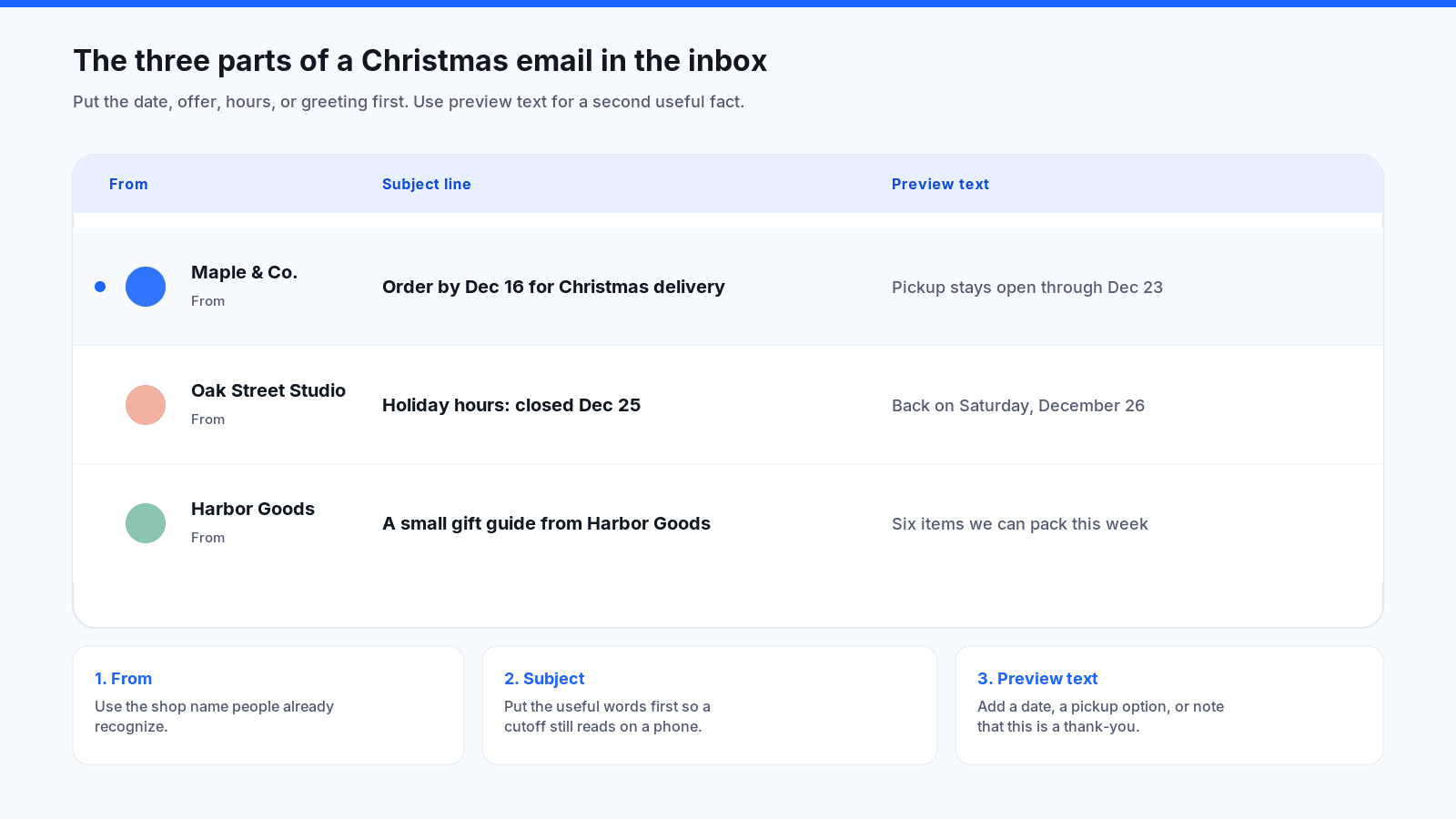 1. Put the point at the front
Many phone inboxes cut a long subject line short. Put the date, the offer, the hours, or the greeting in the first few words, not after a warm-up phrase. If the second half disappears, the first half should still make sense.
2. Match the subject to the email
If the subject mentions a cutoff, an offer, or holiday hours, that information should appear early in the email, with the same wording. People notice when the open doesn’t match the line that got them there.
3. Use preview text as a second line
Preview text is the short snippet most inboxes show after the subject. Don’t paste the subject again. Add the date, the pickup option, or one concrete detail the subject didn’t have room for.
4. Be specific, and only promise what you can keep
A real date, a real product, or a real hours change beats a vague “don’t miss this.” If you mention a discount, a gift, or free shipping, the email and the checkout (or the counter) have to honor that exact promise. Shipping cutoffs in the examples below are placeholders. Use your carrier times and your own packing capacity.
5. Keep the email on-brand when they open it
Keep the header, colors, and logo consistent with your usual brand. Read every word on the graphic and in the email before you send it yourself from your own email tool. uBrand does not send the email for you.
Season Openers for Early December
These work as the first Christmas email after Thanksgiving weekend, or as a quiet hello in the first week of December. Keep the pitch light. You can send a gift guide or a cutoff email later.
- December is here, and so is [Business Name].
- Our holiday shop is open. Here’s what’s new.
- A quiet hello from [Business Name], and a look at December.
- The lights are up. [Business Name] is ready for the season.
- Christmas is coming. We saved you a few favorites.
- Start December with a note from our small shop.
- New this week at [Business Name], just in time for gifting.
- It’s beginning to look like December around here.
- A short Christmas update from the team at [Business Name].
- The 2026 holiday list from [Business Name] is ready.
- First Christmas email of the season, and we’ll keep it useful.
- A simple welcome to our holiday shop this year.
Gift Guide and Product Emails
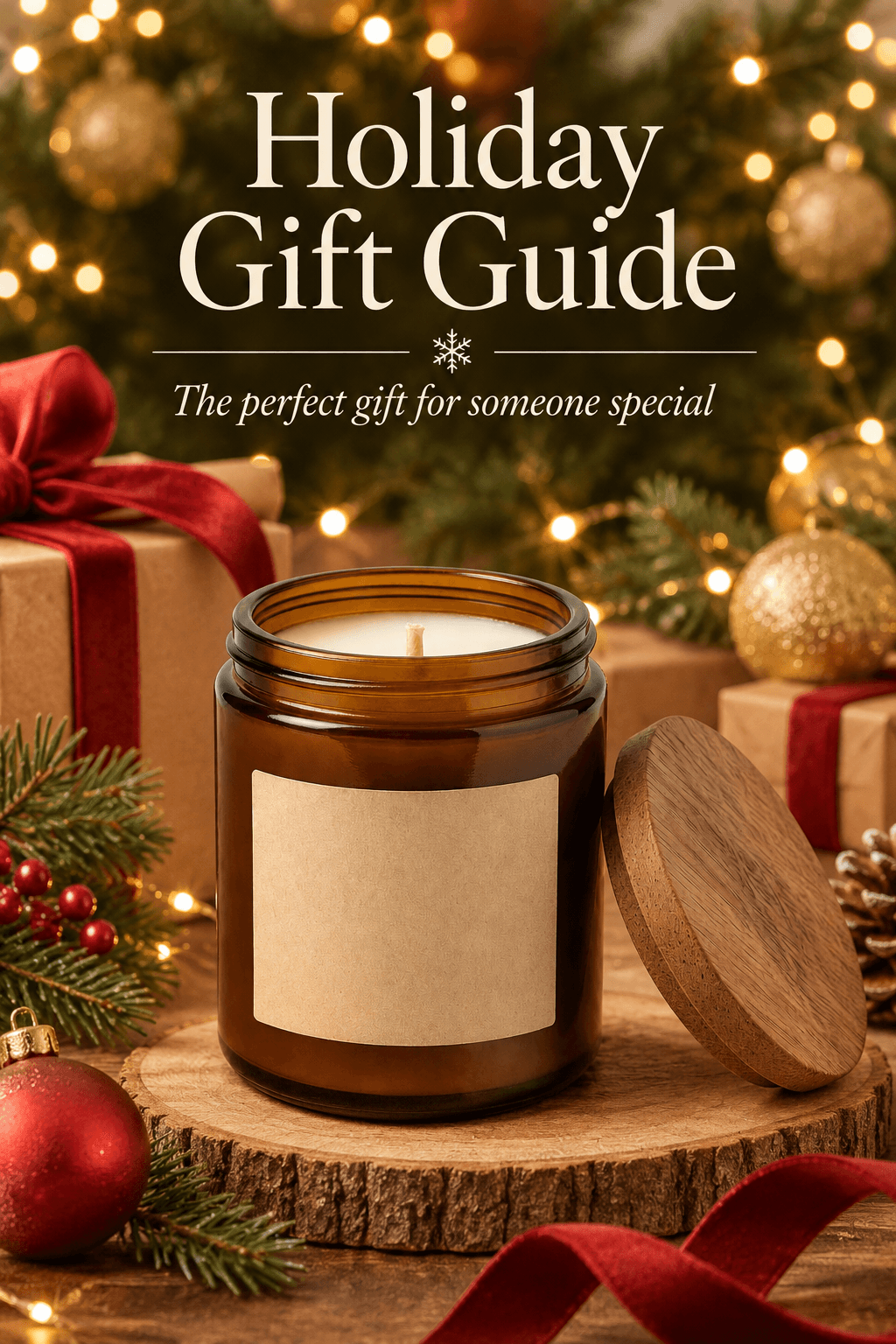
Gift guide emails work best when the list is short and specific. Name the products you can actually pack or have in stock. If you want a graphic to sit at the top of that email, you can upload a product photo and turn it into a holiday gift guide image. Check the headline and any extra wording, then place the image in the email you send yourself.
 A small gift guide from [Business Name].
- 7 gifts our customers actually ask for.
- If you’re shopping for a [teacher / host / coworker], start here.
- The [product] people keep coming back for.
- A gift guide you can finish in one coffee break.
- Gifts under [amount], picked by our team.
- What to get the person who already has a [favorite item].
- For the people on your list who are hard to shop for.
- Our 2026 gift guide, with no filler.
- Three gifts we’d buy for our own families.
- Need a host gift by [date]? These ship (or pack up) in time.
- A short list, not a catalog: this year’s gift ideas.
Shipping Deadlines and Order Cutoffs
These emails exist to prevent a missed Christmas, so the date has to be real. Use your own packing time and your carrier’s delivery estimates. “Order by Wednesday, December 16” appears here only as an example, not as a universal cutoff. If you also share hours or pickup options, you can keep that in the same email or point people to a holiday hours sign they can read at a glance.
- Order by [date] for Christmas delivery.
- Last day for standard shipping: [date].
- Want it under the tree? The cutoff is [weekday, date].
- Shipping reminder: [date] is the last comfortable day to order.
- If it has to arrive by Christmas, order by [date].
- Your Christmas order window closes [date].
- Still time, if you order by [date].
- Christmas delivery: here’s the date we need from you.
- A practical cutoff: order by [date] so we can pack with care.
- Local pickup is open through [date], even if shipping has closed.
- Shipping has a cutoff. Pickup does not (until [date]).
- We can’t promise Christmas delivery after [date], and we won’t pretend we can.
Last-Minute Emails (December 20–24)
By the last few days, shipping may already be closed. These lines are for pickup, walk-in stock, and what you can still reasonably do. Don’t offer a delivery you can’t finish.
- If you’re still looking, we’re still here.
- Last-minute gifts, packed today if you order by [time].
- It’s not too late for a [product], if you [pick up / come in] by [date].
- Same-week pickup is still open at [Business Name].
- For the person you almost forgot: a few ideas we can have ready.
- Short on time? Here’s what we can still do before Christmas.
- Walk in, pick up, done. We’re open [hours] through [date].
- Last-minute doesn’t have to look last-minute.
- Need something today? Our [city] shop is open until [time].
- The short list of what we can still wrap before Christmas Eve.
Holiday Hours and Closure Emails
Hours emails should be easy to scan. Put the closed days in the subject, and repeat the full schedule in the first lines of the email. Fill in your real times before you send anything, including any graphic you use. You can create an on-brand holiday hours sign from your logo; the layout leaves blank lines so you can enter the actual hours before you display it or attach it.
- Holiday hours at [Business Name]: [dates and times].
- We’ll be closed [date]. Here’s when we’re back.
- Christmas Eve hours: open [time] to [time].
- A quick hours update before the holiday week.
- Open [date], closed [date], back on [date].
- Don’t make an extra trip: our Christmas week hours are inside.
- We’ll see you on [reopen date]. Until then, warm wishes.
- Updated hours for December 24 and 25.
- Our shop calendar for Christmas week.
- Closed Christmas Day. Regular hours resume [date].
Offer and Sale Subject Lines
If you run a Christmas offer, say what it is and when it ends. Keep the wording identical in the subject, the email, and at checkout. These lines use placeholders on purpose. They are not a uBrand promotion.
- [Offer] through [date], then it’s gone.
- A Christmas offer from [Business Name]: [details].
- [Percent or amount] off [category] until [date].
- Our holiday offer, with the fine print in the email.
- A small thank-you offer for the people who shopped with us this year.
- Bundle and save on [products] through [date].
- Gift cards are in, if that’s the easier route this year.
- [Free shipping / free wrapping] on orders placed by [date].
- The offer is [details]. The end date is [date]. That’s the whole message.
- Early access for subscribers: [offer] starts [date].
- A straightforward Christmas sale: [details], ends [date].
- Use code [CODE] by [date] if you want [offer].
Inclusive Happy Holidays Subject Lines
Not every customer celebrates Christmas. A “happy holidays” subject line is a kind default when you want to thank everyone on your list, and it can sit alongside a Christmas greeting later in the month.
- Happy holidays from all of us at [Business Name].
- However you celebrate, we’re wishing you a peaceful season.
- Warm wishes for the holidays, and thank you for a good year.
- Season’s greetings from [neighborhood/city].
- A holiday note, with no pitch attached.
- Happy holidays to our customers, clients, and neighbors.
- This season looks different for everyone. We’re grateful for you.
- Wishing you rest, good company, and a gentle close to the year.
- Happy holidays from our team to yours.
- No gift pitch in this one. Just happy holidays from [Business Name].
Thank-You and Year-End Emails
A thank-you email doesn’t need an offer. If you include one, keep it secondary so the gratitude still reads as the point.
- Thank you for a year we won’t forget.
- The best part of 2026 was you walking through the door.
- A year-end thank you from [Business Name].
- We looked back on this year. You were in most of the good parts.
- Grateful for every order, visit, and kind note this year.
- Thank you for trusting a small business in 2026.
- Before the year closes: thank you.
- We don’t take your business for granted. Thank you for 2026.
- A short thank-you, because the long version would take all morning.
- To every customer who chose us this year: we’re still grateful.
Christmas Eve and Christmas Day
If you send on December 24 or 25, keep it short and skip the sale language. A greeting, a closed-today note, or a “we’re back on [date]” line is enough. Many businesses wait until the 26th for anything operational.
- Merry Christmas Eve from [Business Name].
- We’ll see you after Christmas. Tonight, we hope you get some rest.
- Merry Christmas from our shop to your home.
- Closed today for Christmas. Warm wishes from the team.
- If this lands on Christmas morning: we’re thinking of you, and we’ll be back on [date].
- A quiet Merry Christmas from everyone at [Business Name].
- Enjoy the day. We’ll be here on [date] if you need us.
- Merry Christmas. Thank you for a year of good work together.
After Christmas and Boxing Day
Boxing Day is Saturday, December 26 in 2026. These emails cover reopening, exchanges, leftover stock, and a second thank-you after the rush.
- Hope you had a good Christmas. We’re back on [date].
- Boxing Day hours at [Business Name]: [times].
- The shop is open again. No rush, whenever you’re ready.
- If you have a return, exchange, or leftover question, here’s how.
- After Christmas: leftover [items], regular hours, same care.
- Thanks for a busy December. Here’s what’s open this week.
- Gift receipt questions? This email has the simple version.
- We’re open [date] if you want to swap a size or pick something for yourself.
New Year Transition Emails
Save these for the last days of December or the first days of January. If you want a header for that send, you can generate a New Year email banner from your logo, then replace any placeholder greeting and send the email yourself.
- A look ahead to 2027, from [Business Name].
- Happy almost New Year. Here’s what we’re planning next.
- Thank you for 2026. We’re already at work on 2027.
- New year hours and a short hello from the team.
- First 2027 dates you’ll want on the calendar.
- A new year note, and a few things we’ll do differently.
- See you in 2027. We’re taking [date] off, then we’re back.
- Happy New Year, a little early, from [Business Name].
Subject Lines by Business Type
Use these when a general line feels too generic. Keep the details true to your menu, appointment book, or stockroom.
Cafes, bakeries, and restaurants
- Fresh pastry is still coming out on Christmas Eve, until [time].
- Reserve a [box / tray] for [date] before we sell through.
- Coffee is on, even if your week is not. Holiday hours inside.
- Our Christmas weekend menu is ready. Come hungry, or send someone who is.
- Still taking last [cookie / cake] orders until [date/time].
Shops and retail
- The last stocking-stuffer table is up through [date].
- In-store pickup today until [time], if you’re nearby.
- Need a last gift? We can wrap it at the counter.
- After-Christmas restock: what came back in, and what’s still here.
- Gift cards are at the counter, if you’d rather decide later.
Salons, studios, and appointment businesses
- Holiday salon hours, plus a few openings before [date].
- A last 2026 appointment is still possible. Here’s what’s open.
- Gift cards for [cuts / color / treatments] are ready if you need one.
- Booking for January is open, if you want to get on the calendar now.
- We’ll be closed [dates]. Here’s how to book the first week back.
Service and client businesses
- A year-end note to our clients, with next year’s first openings.
- Your [project / appointment] can wait until January. Here’s when we’re back.
- A thank-you to the people we worked with in 2026, and our January hours.
- Office hours through December, then we’re back on [date].
- A short holiday note from [Business Name], with no invoice attached.
Preview Text Examples You Can Pair With a Subject
Set the preview text at the same time as the subject, so the two lines work together. Most email tools let you write that snippet. If you leave it blank, the inbox may grab a random first sentence.
- Subject: Order by [date] for Christmas delivery. Preview: After that we can still do local pickup through [date].
- Subject: Holiday hours at [Business Name]: [dates and times]. Preview: Closed [date]. Regular hours resume [date].
- Subject: A small gift guide from [Business Name]. Preview: Six items we can pack this week, including [product].
- Subject: We’ll be closed [date]. Here’s when we’re back. Preview: Open [hours] on [date], then away until [reopen date].
- Subject: Thank you for a year we won’t forget. Preview: No offer in this one. Just a note from the team.
- Subject: Happy holidays from all of us at [Business Name]. Preview: However you spend the next few weeks, we’re grateful for you.
- Subject: Last-minute gifts, packed today if you order by [time]. Preview: Pickup is at [address] until [time].
- Subject: Hope you had a good Christmas. We’re back on [date]. Preview: Returns and exchanges are open through [date].
A December 2026 Email Calendar
Use this as a starting plan and drop any send that isn’t relevant. One clear email beats two overlapping ones. If you also post on social that week, you can reuse the same hours, cutoff, or gift list so the wording stays consistent. For post ideas and a December posting plan, see Christmas social media posts for business. For caption copy, see Christmas Instagram captions for business.
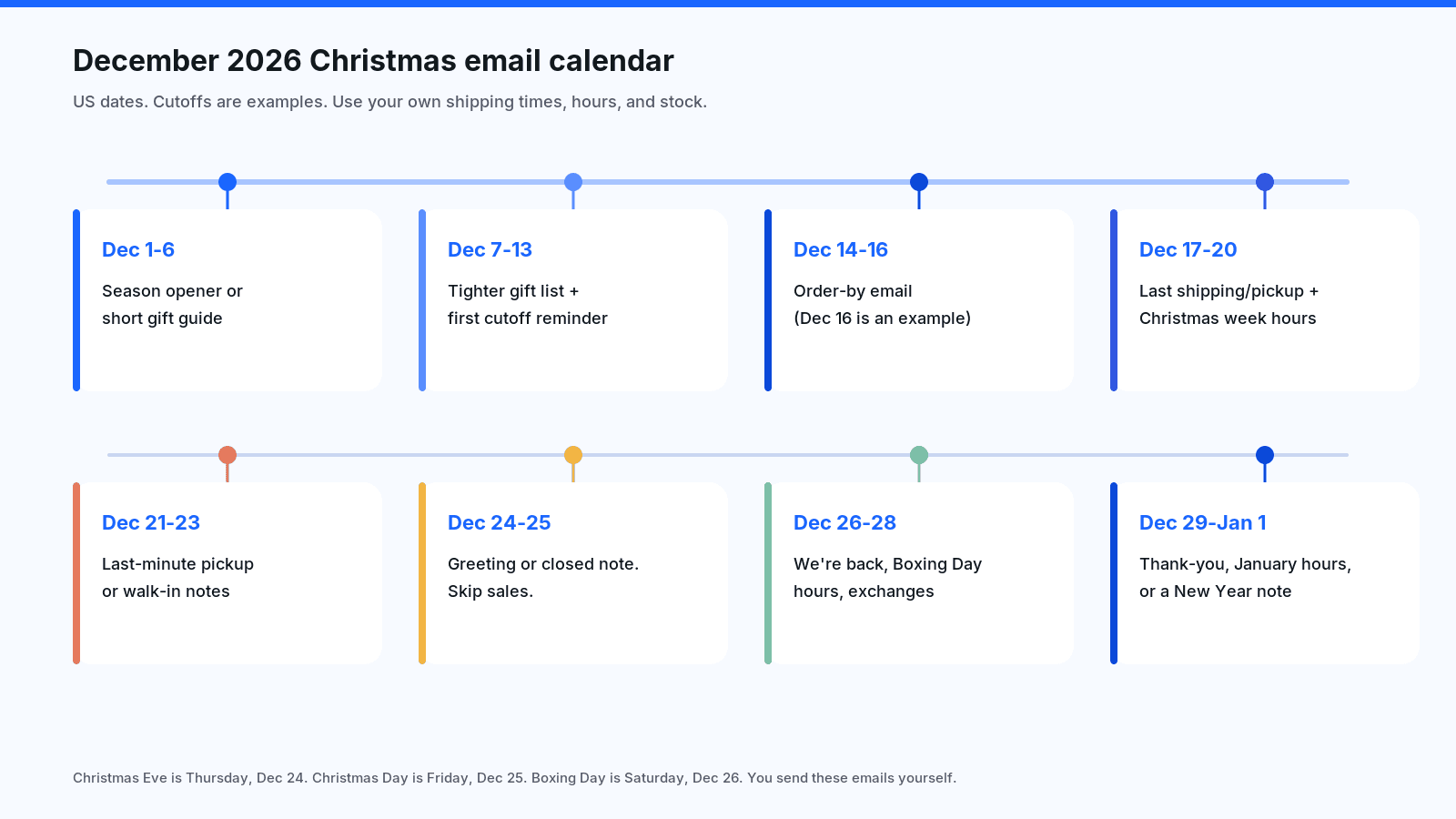 December 1–6: a season opener or a short gift guide, after Thanksgiving weekend (November 26–30).
- December 7–13: a tighter gift list, plus the first shipping-cutoff reminder if you have a real date.
- December 14–16: a clear order-by email if you still ship for Christmas. Wednesday, December 16 is only an example cutoff.
- December 17–20: last shipping or pickup reminders, and a hours preview for Christmas week.
- December 21–23: last-minute pickup or walk-in notes, if you still have stock you can honestly offer.
- December 24–25: a greeting or a closed-today note. Skip sales.
- December 26–28: we’re back, Boxing Day hours if you are open, and a simple exchange policy if you need one.
- December 29–January 1: a thank-you, January hours, or a New Year note.
If you send a printed or digital card as well, our collection of business Christmas card messages can cover the wording that doesn’t belong in an email subject line.
Pair the Subject Line With an On-Brand Email Banner
The header at the top of the email should use the same logo, colors, and type as the rest of your materials. You can generate a Christmas email banner from your logo. If you need a header for ordinary newsletters later, there’s also an email newsletter banner you can generate from your logo. If a generated graphic adds a headline, a date, or a discount, replace the placeholders with your information and read every word before you send the email yourself.
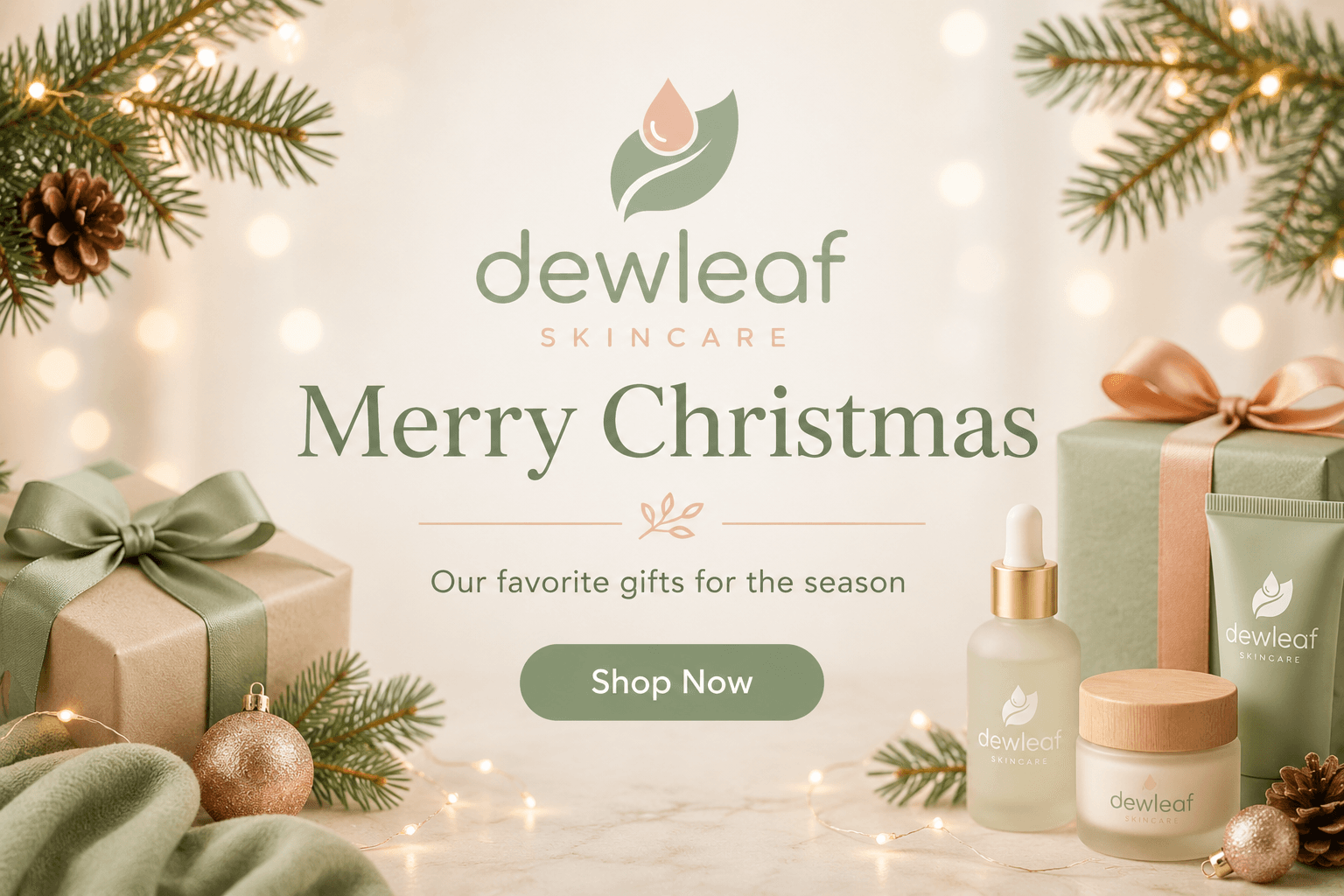 The sample above was generated on the Christmas email banner template page for a fictional brand, Dewleaf Skincare. It is not a real customer, and the “Shop Now” button is part of the example, not a uBrand offer.
For colors, logo use, and fonts, keep a brand guideline and a brand kit handy so December emails use the same building blocks as the rest of your materials. Before you send, check the header, the dates, and any offer against the live checkout or the counter.
FAQ: Christmas Email Subject Lines
How long should a Christmas email subject line be?
There isn’t one official character limit. Many phone inboxes cut a long line short, so put the useful words first and try reading the line on your own phone before you send it. If the truncated version still makes sense, it is ready to send.
Should I email customers on Christmas Day?
You can, if the note is a greeting or a “we’re closed, back on [date]” update. A sale email on December 25 is easy to resent. If the information can wait, send it on December 26.
What’s the difference between the subject line and preview text?
The subject is the headline in the inbox. Preview text is the shorter snippet beside or under it. Use the preview for a second fact: a date, a pickup option, or a sentence that makes clear the email is a thank-you, not an offer.
How many Christmas emails is too many?
It depends on how often you already write to this list, and whether each email has a new reason to exist. A common pattern for a small shop is one opener, one gift guide, one cutoff, one hours note, and one thank-you or New Year message. Drop any of those if you don’t have something new to say.
Can I use “Merry Christmas” and “happy holidays” in the same season?
Yes. Many businesses send a Christmas greeting to people who expect one, and a happy holidays note when they want to include everyone on the list. Keep the tone consistent with how you usually write, and don’t hide an offer inside a greeting.