


25 Christmas Social Media Posts for Business (Ideas + 2026 Posting Plan)
 uBrand Team

Christmas social media posts work best as a season-long plan, not a single “Merry Christmas” graphic on December 25. Between early December and Boxing Day, small businesses need gift guides, shipping cutoffs, soft offers, behind-the-scenes cheer, a clear Christmas greeting, and a thank-you—without flooding the feed with the same discount every day.
This guide is a practical Christmas social media posts playbook for startups and small businesses. You’ll get a simple framework, 25 Christmas post ideas, platform tips for Instagram, Facebook, LinkedIn, and short video, and a day-by-day December 2026 posting plan (Christmas Day is Friday, December 25). If you’re coming off the sale weekend, start with our earlier guide to Black Friday social media posts for business, then shift the tone from urgency to warmth.
Key 2026 US dates to keep in mind: Cyber Monday falls on November 30; December opens a Tuesday; Christmas Eve is Thursday, December 24; Christmas Day is Friday, December 25.
What Makes Christmas Social Media Posts Work
Search interest in Christmas social media posts and Christmas post ideas rises through December. The brands that convert that attention usually do three things well:
- Warmth before hard sell. Gift guides, hours, shipping tips, and team moments earn trust; pure discount spam gets muted.
- Brand consistency. Logo, colors, and fonts stay the same from the first tease through the thank-you post so the season feels intentional.
- A clear arc. Early tease → offers and shipping facts → last-call practical posts → Christmas greeting → thank-you.
Before you design anything, pull your logo, brand colors, fonts, and a few real product or store photos into one folder. If you already have Brand DNA and a brand kit, use them as the source of truth so every graphic matches. uBrand’s brand guideline and brand identity kit pages are useful when you need those assets in one place.
A Simple Christmas Campaign Framework
Use four phases. Keep each phase to one primary message so your Christmas posts for social media don’t compete with each other.
- Tease (about Dec 1–7): Soft “season is here” posts, a gift guide, holiday hours, and a light countdown.
- Offers & shipping (about Dec 8–14): Clear promos, bundles, shipping or pickup cutoffs, and founder notes.
- Last mile (about Dec 15–21): Final ship dates, gift-wrap tips, FAQ Stories, and quieter cheer—not daily hard sells.
- Greeting & thank-you (Dec 22–26): Christmas greeting, Eve wish, Christmas Day message, then a short thank-you on the 26th.
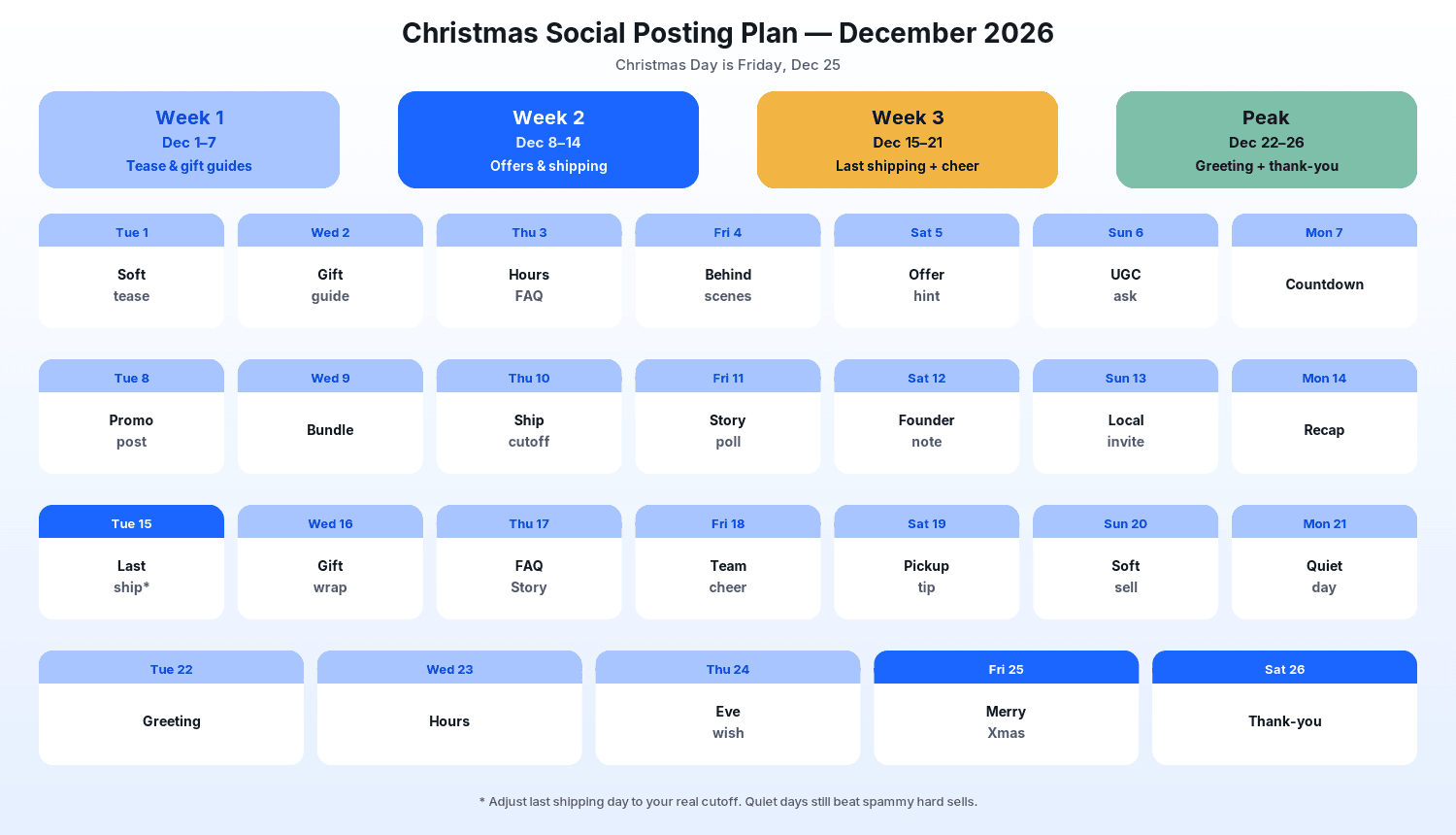 The diagram above is a starting calendar. Adjust it to your real shipping cutoffs, store hours, and whether you sell in-store, online, or both.
25 Christmas Social Media Post Ideas for Business
Each idea below is written for a real business feed. Pair the graphic with a short caption that states the offer, the helpful fact, or the next step in the first line.
1. The clear Christmas greeting post
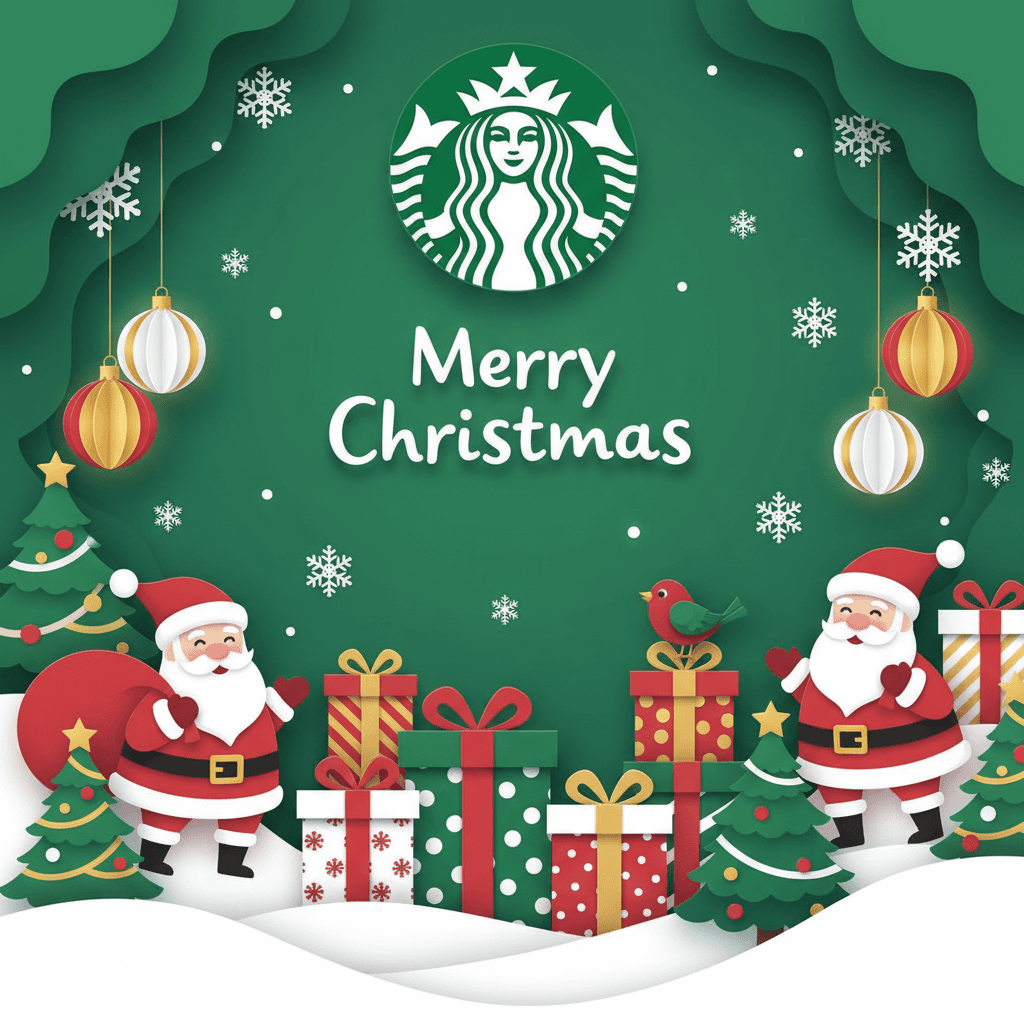
Keep one polished “Merry Christmas” or “Happy Holidays” graphic ready for Christmas Eve or Christmas Day. Put the brand mark, a short wish, and optional holiday hours in the image. This is the emotional anchor of your Christmas social media posts for business—not another discount tile.
If you need a starting design, the Christmas Post Generator lets you upload a logo or product image and generate a post in that template’s style. Review the result carefully, edit anything that doesn’t fit, and add your real message and hours yourself—templates won’t know your actual holiday schedule.
 Example from the Christmas Post template—generated sample art for a fictional brand look. Decorative only; replace with your real greeting and hours. Not a real customer campaign.
2. A Christmas poster or window graphic
Resize the same seasonal look for Instagram/Facebook feed and for a storefront print or website hero. The Christmas Poster Generator starts from your logo and generates a poster-style design you can adapt. Keep copy identical across sizes so customers aren’t confused by mismatched dates.
 Example from the Christmas Poster template. Generated sample; swap in your real offer, dates, and terms before you use it.
3. A “season is open” soft tease (early December)
Post a warm tease in the first week: “Holiday gift guides are live” or “Our December hours start this week” without dumping every detail. Curiosity and helpfulness outperform full-price dumps before shoppers are ready.
4. A gift guide carousel
Group products by person or budget (for the host, under a set price, for remote teams, for kids). Publish it early so shoppers can shortlist. The Holiday Gift Guide Generator can help you draft a branded gift-guide layout from your logo; swap in your real products and prices.
 Example from the Holiday Gift Guide template—generated sample with fictional products. Replace with your real catalog and prices.
5. A general holiday post (non-Christmas-specific)
Not every follower celebrates Christmas the same way. Keep one inclusive holiday graphic in rotation. The Holiday Post Generator is a useful starting point for seasonal layouts that aren’t locked to one holiday name—still review and rewrite the copy yourself.
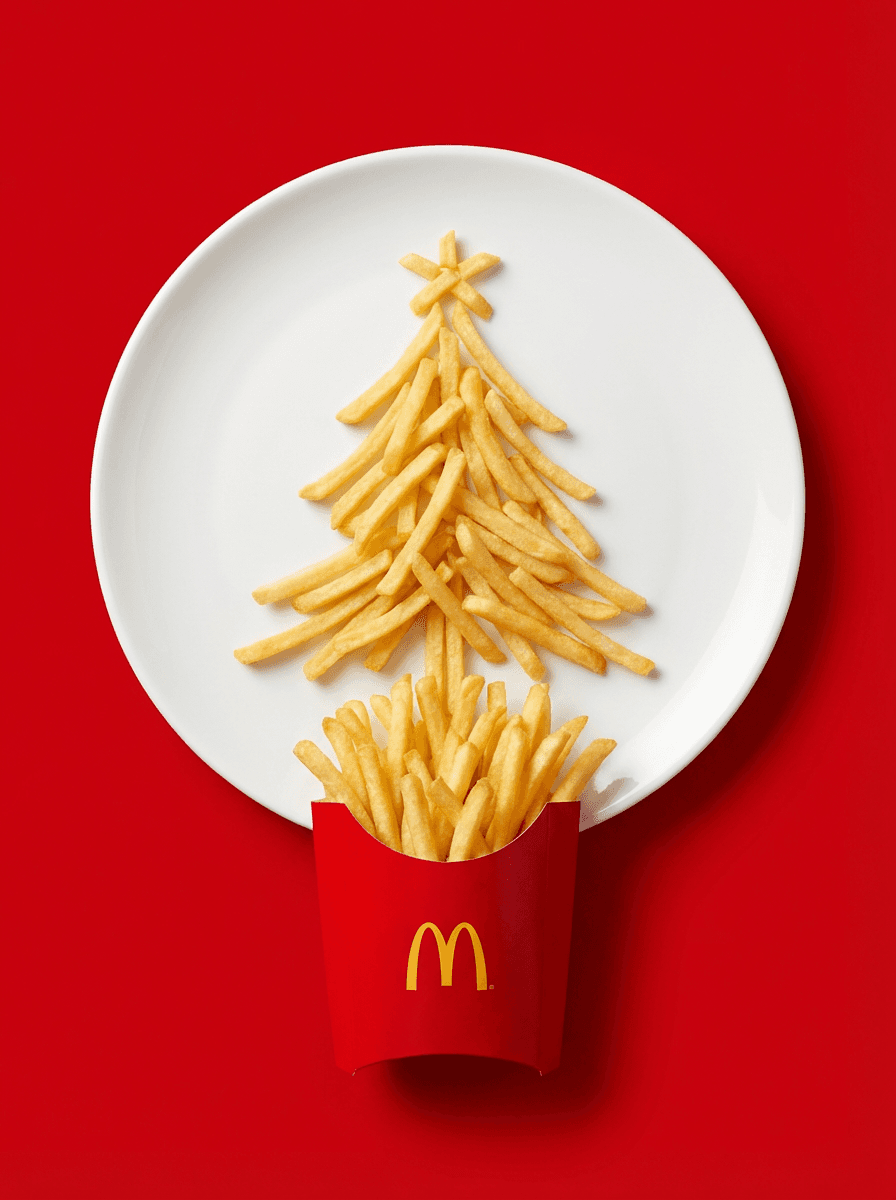 Example from the Holiday Post template. Generated sample for a fictional brand; edit for your audience and inclusive language.
6. Holiday hours and FAQ Story set
Answer the questions you’ll get anyway: Are you open Christmas Eve? When is the last shipping day? Do you offer pickup? Put hours in a feed graphic once, then repeat them as Story slides with a link sticker where available.
7. Shipping cutoff countdown
Ecommerce brands should state the last order time for delivery before Christmas. Local shops can list pickup windows and parking notes. Practical Christmas marketing ideas like this reduce DM volume more than another percentage graphic.
8. Behind-the-scenes wrapping Reel
Film packing stations, ribbon, or inventory arriving. Short vertical clips build trust and give you Christmas social media post ideas that aren’t another static sale tile. Add on-screen text so it works with sound off.
9. Founder or owner “why we love this season” note
A 30–45 second talking-head Reel or a short LinkedIn post explaining who you serve during the holidays feels more human than another bold “SALE” tile.
10. Customer proof / UGC carousel
Collect real reviews or customer photos with permission. One quote or photo per slide, with the product they bought. Proof posts convert better in December than feature lists alone.
11. Bundle and “what’s included” graphic
If you sell gift sets, show every item in the bundle with a clear total. Ambiguous “mega deal” language creates refund requests; specific contents build trust.
12. Instagram Story poll: “this or that gift”
Let followers vote between two products or two gift directions. Use the winning option in Stories and in your email subject line test.
13. Local partner or neighbor shout-out
Feature three neighboring businesses you love (with permission). It earns goodwill, gets shares, and reinforces community without another hard sell—especially useful mid-December when feeds are noisy.
14. “Last day to order for Christmas delivery” post
Make the cutoff impossible to miss: date, time zone, and what happens if they miss it (gift card, pickup, or next available ship). Put the essentials in the image and repeat them in the caption.
15. Gift-wrap or personalization tip
Show how wrapping, notes, or engraving works. Educational Christmas post ideas often outperform pure promo posts because people save and share them.
16. Team or staff holiday photo
Introduce the people packing orders or working the counter. Keep it candid; add names only with consent. Human posts balance the sales calendar.
17. Midweek “still shipping / still open” reminder Story
On busy weeks, post a Story that restates end times and links. Many shoppers miss morning posts while traveling or hosting.
18. Quiet day / no-hard-sell post
Plan at least one day with a tip, a thank-you, or a behind-the-scenes clip and no discount. Quiet beats spam when inboxes are full.
19. Christmas Eve wish
A short Eve graphic or Story: warm wish, tomorrow’s hours if relevant, and a simple brand mark. Save hard sells for earlier in the month.
20. Christmas Day greeting
Keep it simple. One clear greeting, optional “we’re closed today / reopen on…” line, and a soft invitation to browse after the holiday. Avoid stacking CTAs.
21. Boxing Day / Dec 26 thank-you
Thank early shoppers, share a candid weekend photo if you have one, and hint at what’s next (gift cards, returns window, or January hours) without launching a new mega sale unless that’s truly your plan.
22. Returns and exchange FAQ graphic
State the window, condition rules, and how to start a return. Clear policy posts reduce support tickets after Christmas.
23. Gift card reminder
Useful when shipping cutoffs have passed. Show denominations, digital vs physical options, and where to buy. Keep design on-brand so it matches earlier Christmas posts for social media.
24. Year-end “favorite moments” carousel
Five slides of real highlights from the year (launches, events, customers—with permission). It bridges Christmas content into a New Year thank-you without feeling abrupt.
25. Cyber Monday → Christmas bridge (optional early post)
If you’re publishing this guide right after the sale weekend, one bridge post can thank Cyber Monday shoppers and point them to your gift guide. The Cyber Monday Email Banner Generator is useful for that last-call email header; after that weekend, shift creative toward Christmas layouts instead of recycling sale banners.
Christmas Instagram Post and Stories Tips
Instagram still carries most of the visual load for holiday social media posts for consumer brands:
- Feed: Prefer 4:5 vertical when you can; lead the caption with the helpful fact or next step because only the first lines show.
- Stories: Use them for hours, FAQs, shipping countdowns, and midday reminders. Save the best frames to a Holiday Highlight.
- Reels: Keep wrapping and prep clips under 30 seconds with large on-screen text.
- Consistency: Reuse the same color blocks and logo placement so your Christmas Instagram posts look like one campaign, not unrelated templates.
For more Story formats beyond the holidays, see our guide to Instagram Story ideas for small businesses. You can also explore general layouts in the uBrand social post generator when you need non-holiday styles for follow-up content in January.
Platform Tips Beyond Instagram
- Facebook: Longer captions and event posts work well for local businesses. Keep Page hours updated for December. Boost only the highest-intent posts (shipping cutoff, gift guide) if you run ads—not every Story screenshot.
- LinkedIn: Better for B2B and service brands: thank clients, share a year-end offer for teams, and keep Christmas Day itself light on selling.
- TikTok and short video: Same behind-the-scenes clips as Reels. Hook in the first two seconds; put shipping end times on screen when relevant.
- Email / SMS: Treat last-ship and Christmas Eve as owned-channel moments. Match the creative to your social posts so the brand feels coherent.
Day-by-Day Posting Plan (Dec 1–26, 2026)
Use this as a default calendar for Christmas social media posts. Shift times to match when your audience is actually online, and replace the sample shipping day with your real cutoff.
- Tue, Dec 1: Soft “season is here” tease in the feed.
- Wed, Dec 2: Gift guide carousel.
- Thu, Dec 3: Holiday hours + FAQ Stories.
- Fri, Dec 4: Behind-the-scenes wrapping Reel or photo set.
- Sat, Dec 5: Soft offer hint (no full dump).
- Sun, Dec 6: Ask for UGC / customer photos with a clear hashtag.
- Mon, Dec 7: Countdown sticker Story toward your first major cutoff.
- Tue, Dec 8: Clear promo / Christmas offer post.
- Wed, Dec 9: Bundle “what’s included” graphic.
- Thu, Dec 10: Shipping or pickup cutoff announcement.
- Fri, Dec 11: Story poll: this gift or that.
- Sat, Dec 12: Founder note or team intro.
- Sun, Dec 13: Local partner shout-out.
- Mon, Dec 14: Light weekly recap in Stories.
- Tue, Dec 15: Last-ship reminder (adjust to your real date).
- Wed, Dec 16: Gift-wrap or personalization tip.
- Thu, Dec 17: FAQ Story set (returns, hours, pickup).
- Fri, Dec 18: Team cheer photo.
- Sat, Dec 19: Pickup / local shopping tip.
- Sun, Dec 20: Soft sell only if inventory remains; otherwise a quiet tip post.
- Mon, Dec 21: Quiet day—no hard sell.
- Tue, Dec 22: Polished Christmas greeting post.
- Wed, Dec 23: Final hours reminder.
- Thu, Dec 24 (Christmas Eve): Short Eve wish; optional tomorrow’s hours.
- Fri, Dec 25 (Christmas Day): Simple Merry Christmas / Happy Holidays message.
- Sat, Dec 26: Thank-you post and a soft bridge to returns or January hours.
For gratitude-first posts earlier in the season, see our Thanksgiving social media post ideas for business.
Keep Christmas Creative On-Brand
December is when mismatched fonts and random stock templates dilute trust. Stick to your logo, palette, and voice from the first tease through the thank-you post. uBrand is an AI brand identity platform for startups and small businesses—covering logo through Brand DNA, guidelines, and content assets—so if you’re already building that system, reuse it for holiday creative instead of starting from a blank canvas each time.
When you generate holiday designs from a template, upload your logo or product image, generate in that template’s style, review the result carefully, and edit anything that doesn’t fit. Always overlay your real prices, dates, hours, and legal terms yourself.
Frequently Asked Questions
What should a business post for Christmas on social media?
Lead with helpful Christmas social media posts: a gift guide, clear hours and shipping cutoffs, a few soft offers, behind-the-scenes cheer, a Christmas greeting, and a thank-you. Save hard sells for mid-month; keep Christmas Eve and Christmas Day warm and simple.
When should I start Christmas social media posts in 2026?
Two to four weeks before Christmas is a solid window. For 2026, starting teasers around December 1 leaves about three and a half weeks before Friday, December 25—enough for most small businesses without wearing out your audience. Gift guides can go even earlier if your catalog is ready.
How many Christmas posts for social media is too many?
Quality beats volume. One thoughtful feed post most days in early–mid December, plus Stories for FAQs and cutoffs, is plenty for most small brands. Plan quiet days so your Christmas Day greeting still feels special.
What’s the difference between Christmas post ideas and holiday social media posts?
Christmas post ideas are specific to Christmas (greeting, Eve wish, Christmas delivery cutoffs). Holiday social media posts can be more inclusive—seasonal gift guides, winter hours, year-end thank-yous—without naming one holiday. Many businesses run both.
Can I reuse Black Friday creative for Christmas?
Reuse the visual system (colors, logo, fonts), but change the message and layout language. Sale-weekend urgency feels off on Christmas Eve; warm greetings and practical shipping posts fit December better.