

Any Logo Review 2026: Generate similar logos with AI instantly
 Ling Zhang
A fresh take on logo creation, AnyLogo uses artificial intelligence to help founders, creators, and small businesses bring visions to life. You can bring in your own sketches or simply choose your favorite logo reference to start generate a new creation. From those starting points, smart algorithms shape fresh designs - ones that feel right to you. This review digs deep into how well it works when real clients need branding fast in 2026.
What is Any logo generator?
What makes Anylogo stand out is how it uses artificial intelligence to build logos from ideas you already like. Many logo design tools begin by asking you to choose things like colors, fonts, and industry keywords which can be frustrating for people trying to navigate without a design background. You might not know what color or font style is the best match for your brand, making these choices can be difficult without any visual example or guidance.
At anylogo.ai, they do it differently — and more intuitively.
In contrast to most design-based programs that ask for overwhelming design preferences right at the introduction stage, we walk our users through simpler options — just pick a logo design you like and match your brand identity.
Options such as: abstract, cartoon, emblem, signature and others. Each with its visual example so users can immediately see what each style embodies and determine whether it resonates with their brands’ persona and character.
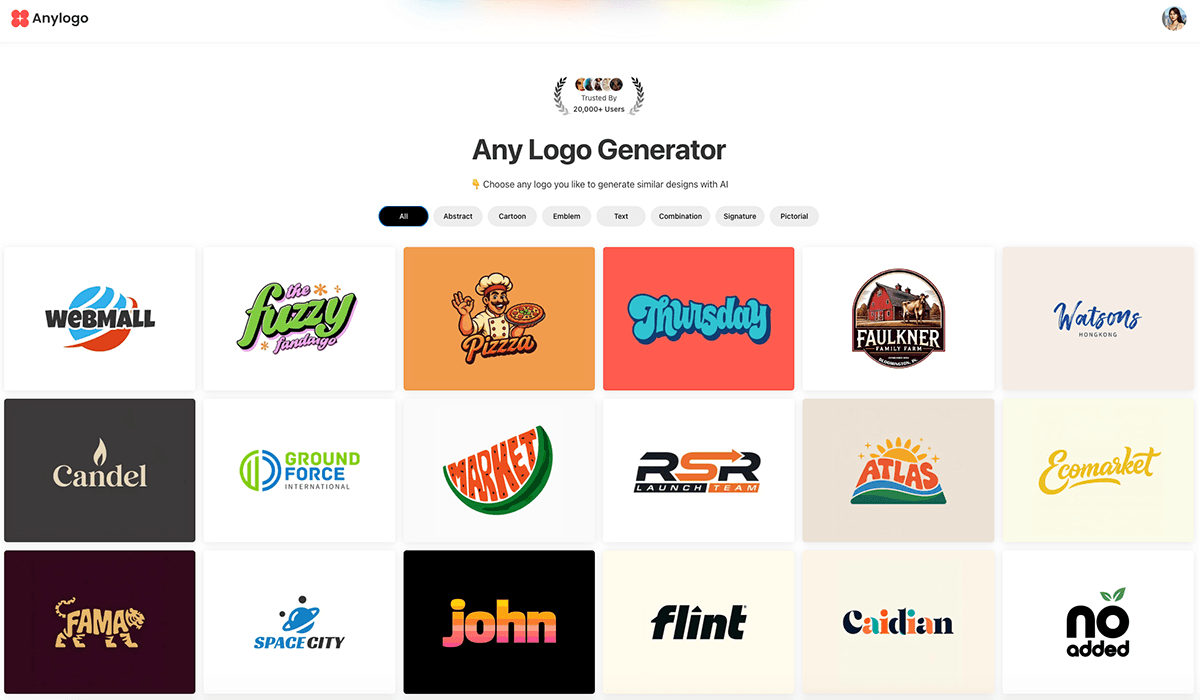
This style-first approach gives users a head start. Users do not have to spend time trying to formulate an image of what their logo should look like. After choosing the preferred vibe, our AI does the rest by creating logos that align with your brand identity instantly. In short, you have minimal guesswork and increased clarity, leading you to a perfectly polished logo much quicker.
Key features of Any logo
1. AI Logo Generation - Pick a Logo Style, Get Similar Designs
Pick a logo look that fits you, then the software shapes comparable versions using what you showed it. Simply choose any logo style you like, and the AI will create similar logo designs based on that reference.
2. Generate Logos from Your Own Reference
Already have a logo you like? Upload your reference, and AnyLogo.ai will generate new logo designs in a similar style, customized with your brand name.
3. AI-Powered Customization - Edit logo with a simple text prompt
Once you find a logo or icon you like, you can continue refining it using AI edits. For example, you can try out various color options; discover diverse font styles for your brand name; start by creating different versions of the logo symbol.
4. High-Quality Logo Files
Download your logo in professional formats ready for both digital and print use, including high-resolution JPG for everyday needs, transparent PNG for backgrounds and online use, and scalable SVG for printing at any size.
5. Any logo pricing and plans
- Get 7 days of full access and 200 AI credits for just $2.99.
- After the trial, your plan renews at $19/month.
How Any logo Works (Step-by-Step)
1. Pick your logo type
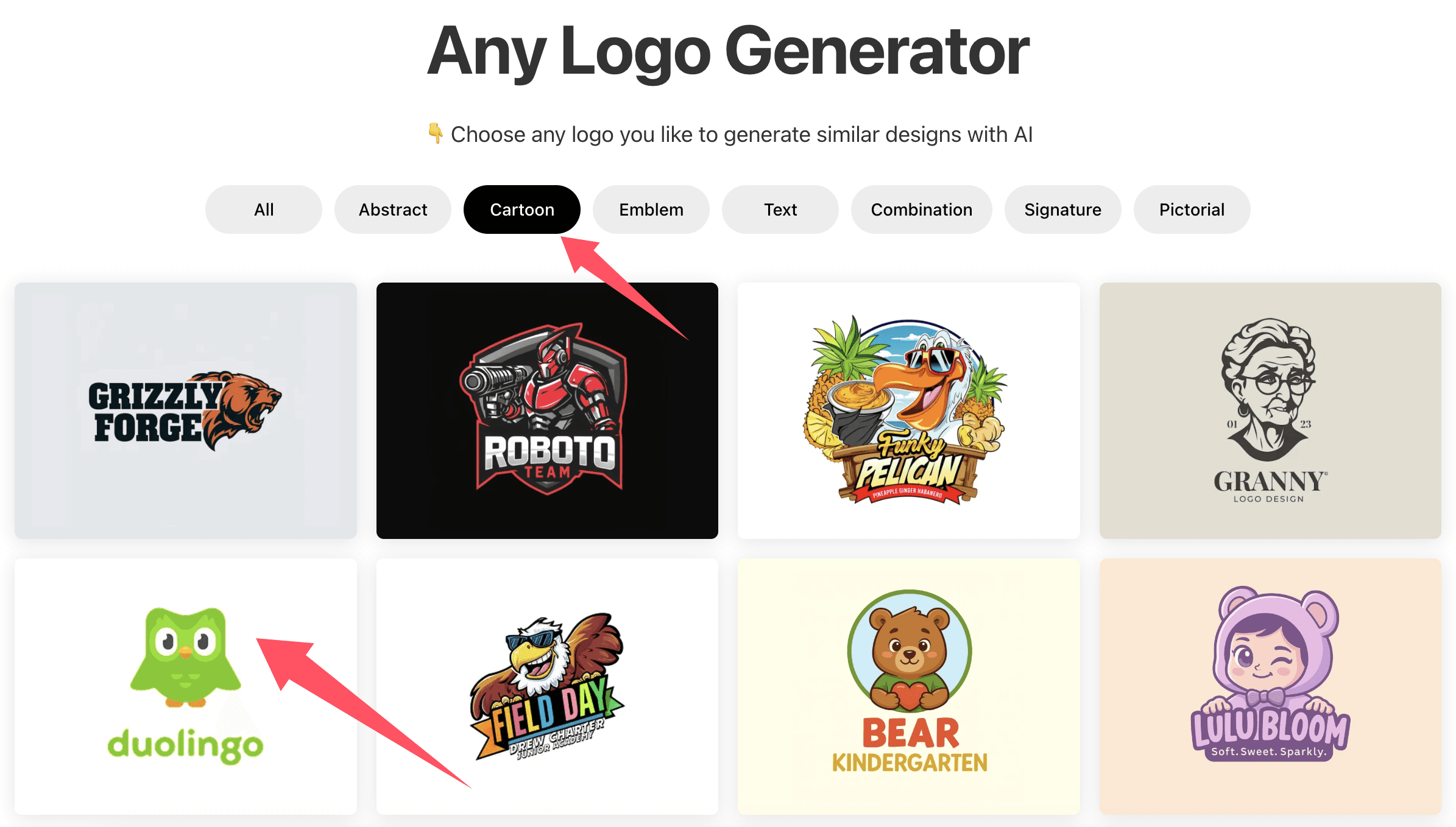
On the AnyLogo landing page, you can browse a wide range of logo designs and easily filter by style using the keywords at the top—such as abstract, cartoon, emblem, or text—to quickly find the look you prefer.
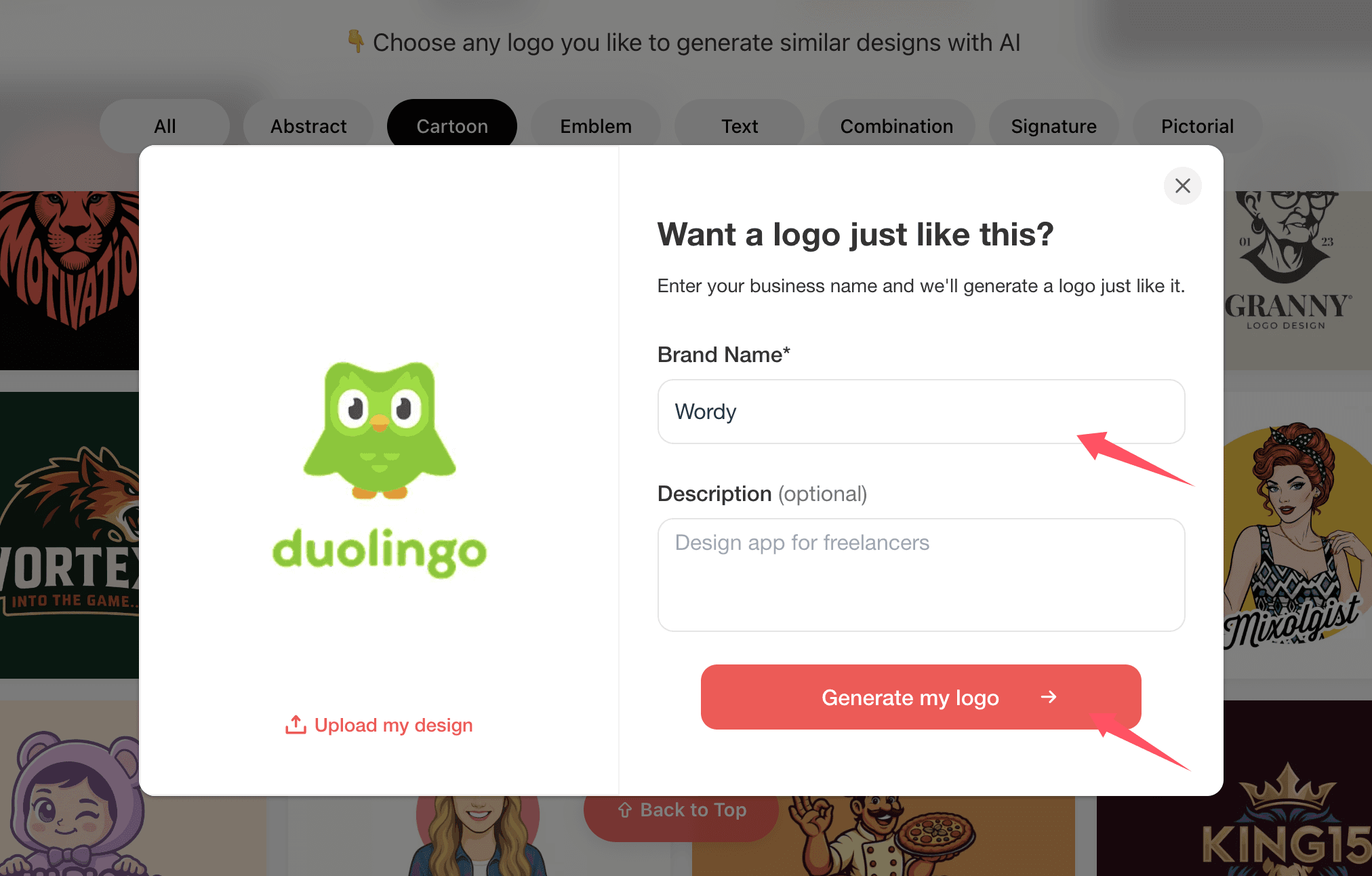
2. Enter your Brand Name and Generate a Similar Logo
As soon as you select a style and add your brand name along with a brief description, AI will instantly creates 5 distinctive logo variations within moments from that style. You won’t have to worry about font or color selection — we have simplified the whole workflow for you.
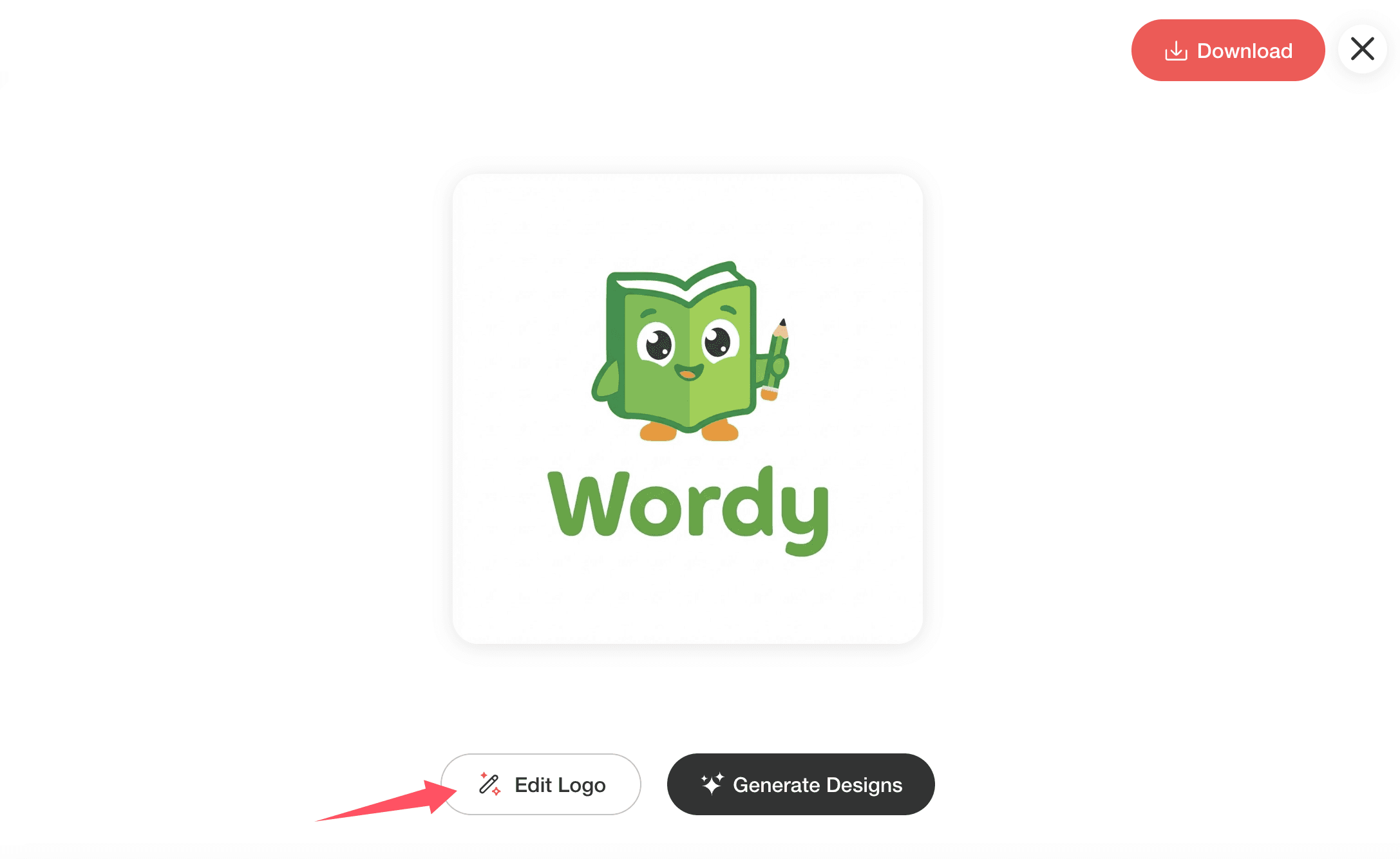
If you don’t like the generated result , you can click “Edit logo” to let AI modify your logo design by insert simple text prompts.
3. Download logo in Multiple Formats
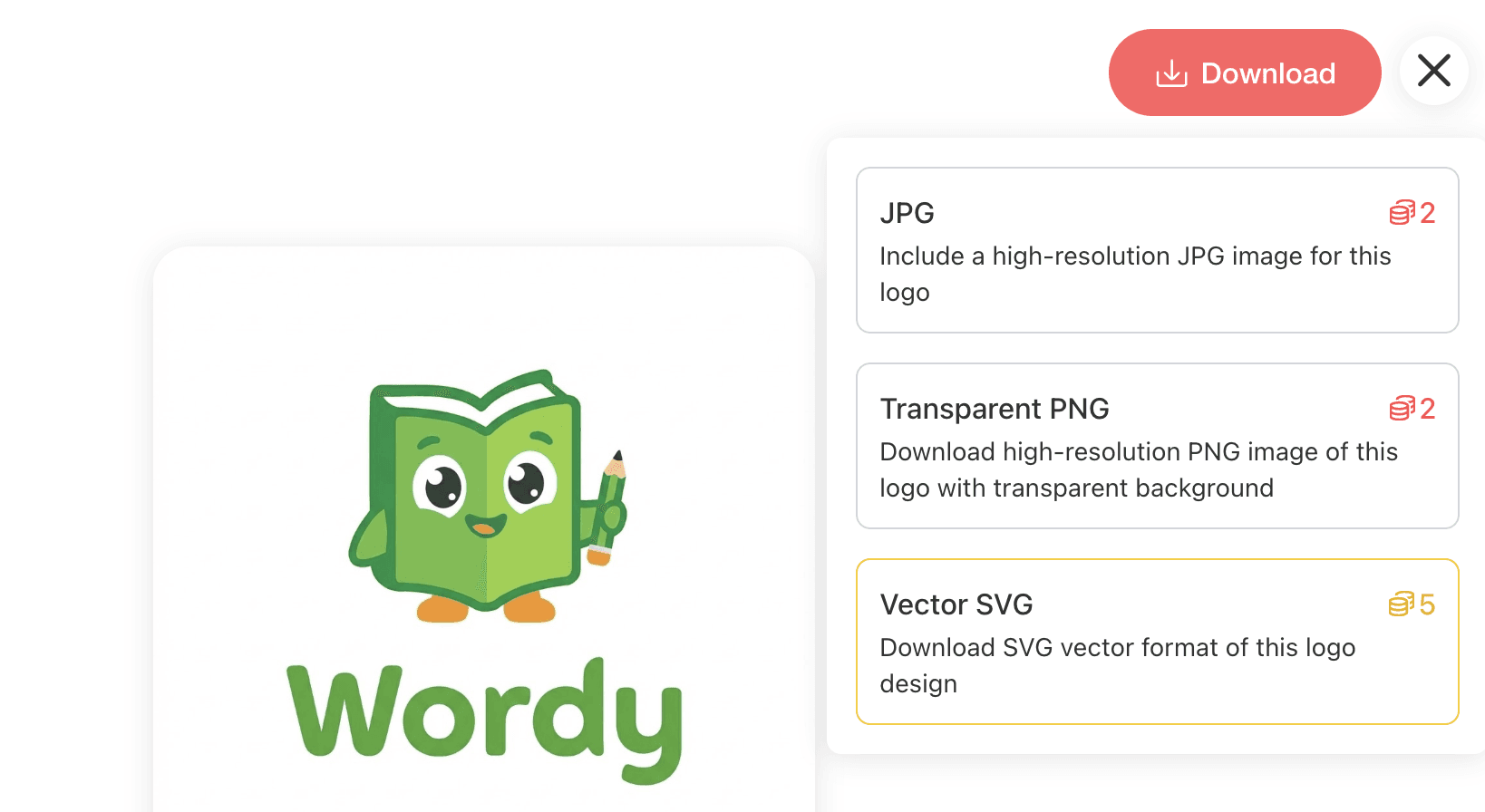
Download your logo in multiple professional formats, ready for both digital and print use:
- JPG – High-resolution images for everyday use
- PNG (Transparent) – Perfect when you need it on a background - works well online, shared fast, used often for layers
- SVG (Vector) – Scalable vector file for printing
Final Verdict: AnyLogo.ai Review
Trying out AnyLogo.ai showed how differently it tackles logo creation. Not requiring guesses about color or letter size makes a difference. You pick a design that fits your taste, or drop in something you already see value in. That shift - from abstract choices to real-world picks - speeds things up without realizing it.
Out of nowhere comes a version of the design - quick on the draw, clean in look, ready to tweak just by typing a few words. Not meant to swallow up what professionals do, yet somehow lands on exactly one solid point: grab a logo that fits a chosen aesthetic, no hassle, without draining your wallet. Once you have a logo design, you can also create branding designs with AI for future marketing purpose.
Truth is, AnyLogo.ai lines up well with founders, creators, and smaller operations looking for a clean, visually centered logo. Since crafting one manually takes time - or piles on costs - the option makes sense. By now, if your idea of a perfect logo is clear in your mind yet too complex to build yourself, jumping into AnyLogo.ai around 2026 seems worth exploring.