


30-Day Social Media Content Calendar: AI Prompts for Every Brand
 Yalan
Yalan
Posting consistently is one of the hardest parts of building a brand.
You may have a logo, a visual style, and a story—but when it is time to publish, a familiar question appears: What should we post today?
A social media content calendar replaces that daily blank page with a repeatable system. It helps founders and small teams balance stories, education, product moments, and conversations while keeping every post recognizably on brand.
Before You Plan: Start With Your Brand DNA
A useful calendar is not just a list of trends. It should reflect what your brand stands for, how it sounds, and what it wants people to remember. Define your audience, promise, visual direction, and voice before generating content.
Use uBrand Brand DNA to turn those foundations into a reusable creative brief. Include the same brief whenever you use AI: your audience, offer, platform, desired tone, and one clear goal. That small step keeps AI content from sounding generic.
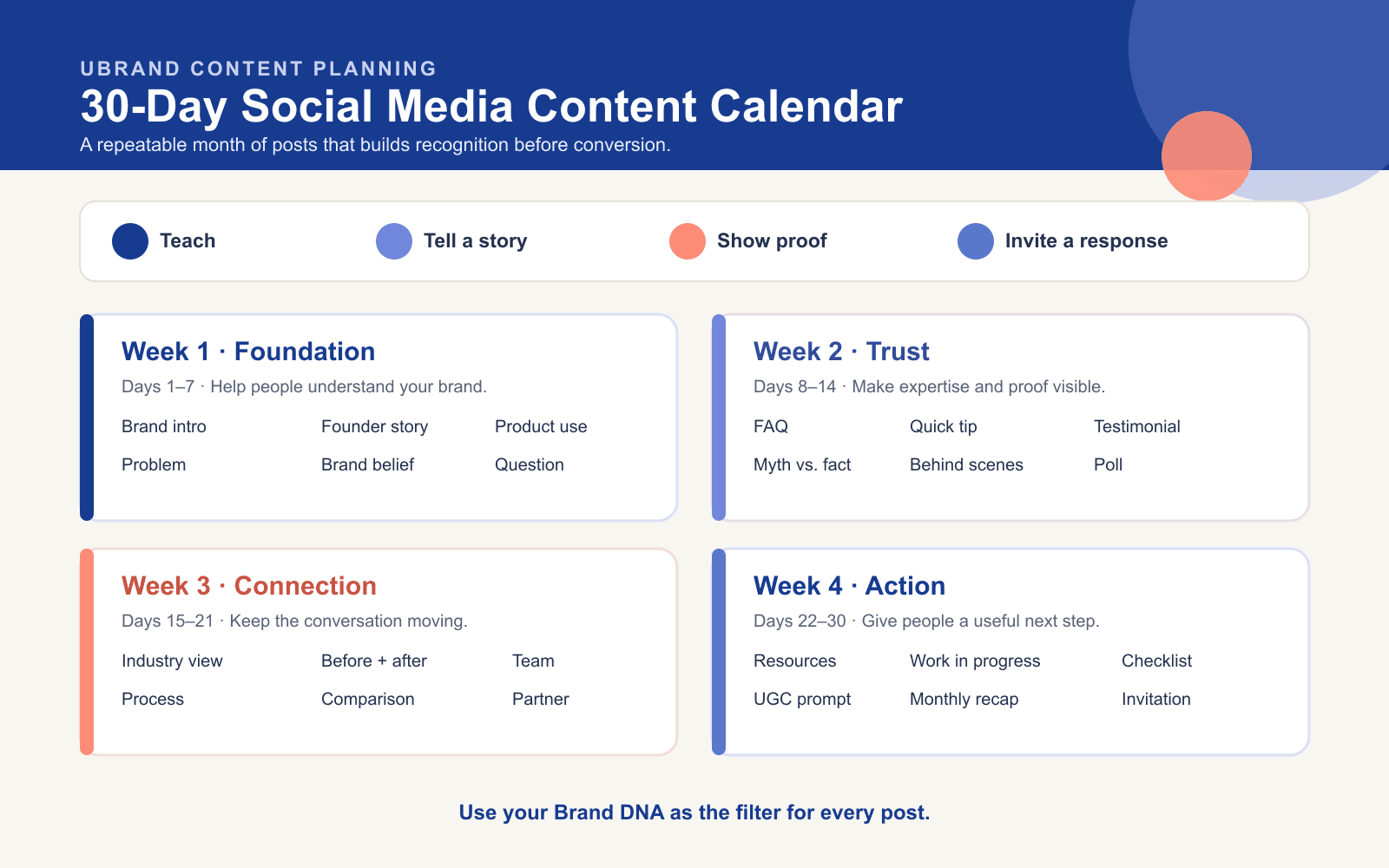 A balanced 30-day rhythm: establish the brand, build trust, create connection, then invite action.
Your 30-Day Social Media Content Calendar
- Day 1 — Introduce your brand. Share who you are, who you serve, and the change you want to create.
- Day 2 — Name the problem. Describe the frustrating moment your customer already recognizes.
- Day 3 — Tell the founder story. Share the insight or experience that led you to start.
- Day 4 — Share one brand belief. Turn a principle into a clear point of view.
- Day 5 — Show your offer in action. Use an image, video, or branded mockup to put it in context.
- Day 6 — Explain how it works. Break your process into three simple steps.
- Day 7 — Invite a conversation. Ask one focused question people can answer quickly.
- Day 8 — Answer a common question. Turn a real FAQ into a helpful post.
- Day 9 — Share a quick tip. Teach one action your audience can try today.
- Day 10 — Highlight a detail. Show a material, workflow, packaging choice, or design decision.
- Day 11 — Use a testimonial. Share a real customer quote with useful context.
- Day 12 — Bust a myth. Correct one common misconception without sounding confrontational.
- Day 13 — Show behind the scenes. Reveal a sketch, workspace, draft, or quality check.
- Day 14 — Run a poll. Use a lightweight question that teaches you about your audience.
- Day 15 — Share an industry perspective. Comment on a change your audience is noticing.
- Day 16 — Create a before-and-after. Make the transformation your work delivers visible.
- Day 17 — Put a person on camera. Introduce a founder, teammate, maker, or customer.
- Day 18 — Explain your process. Show the steps behind one outcome.
- Day 19 — Compare two approaches. Help people choose without attacking competitors.
- Day 20 — Share a mini tutorial. Solve one narrow problem with a saveable checklist.
- Day 21 — Spotlight a partner or community. Feature someone who shares your values.
- Day 22 — Curate useful resources. Recommend three tools or ideas and say why each matters.
- Day 23 — Turn a quote into a point of view. Start with a line from your team or customer.
- Day 24 — Share a work in progress. Invite people into an upcoming launch or experiment.
- Day 25 — Celebrate a small milestone. Thank customers for a launch, review, or behind-the-scenes win.
- Day 26 — Offer a checklist or template. Package your expertise into something useful.
- Day 27 — Share a respectful unpopular opinion. Take a clear stance and support it with an example.
- Day 28 — Ask for user-generated content. Invite customers to show how they use or experience your product.
- Day 29 — Recap what you learned. Share a question, result, or experiment from the month.
- Day 30 — Make a clear invitation. End with one focused next step.
Create a Visual Direction for Every Idea
Strong ideas still need a recognizable visual system. Keep your colors, imagery, mood, and composition tied to the same brand brief; that is how a feed becomes memorable rather than merely busy.
Start with a short visual brief—mood, subject, composition, and platform—before creating assets. The product screenshot below opens the uBrand Brand Image Generator; use uBrand’s design inspiration as a reference library only when you need a creative starting point.
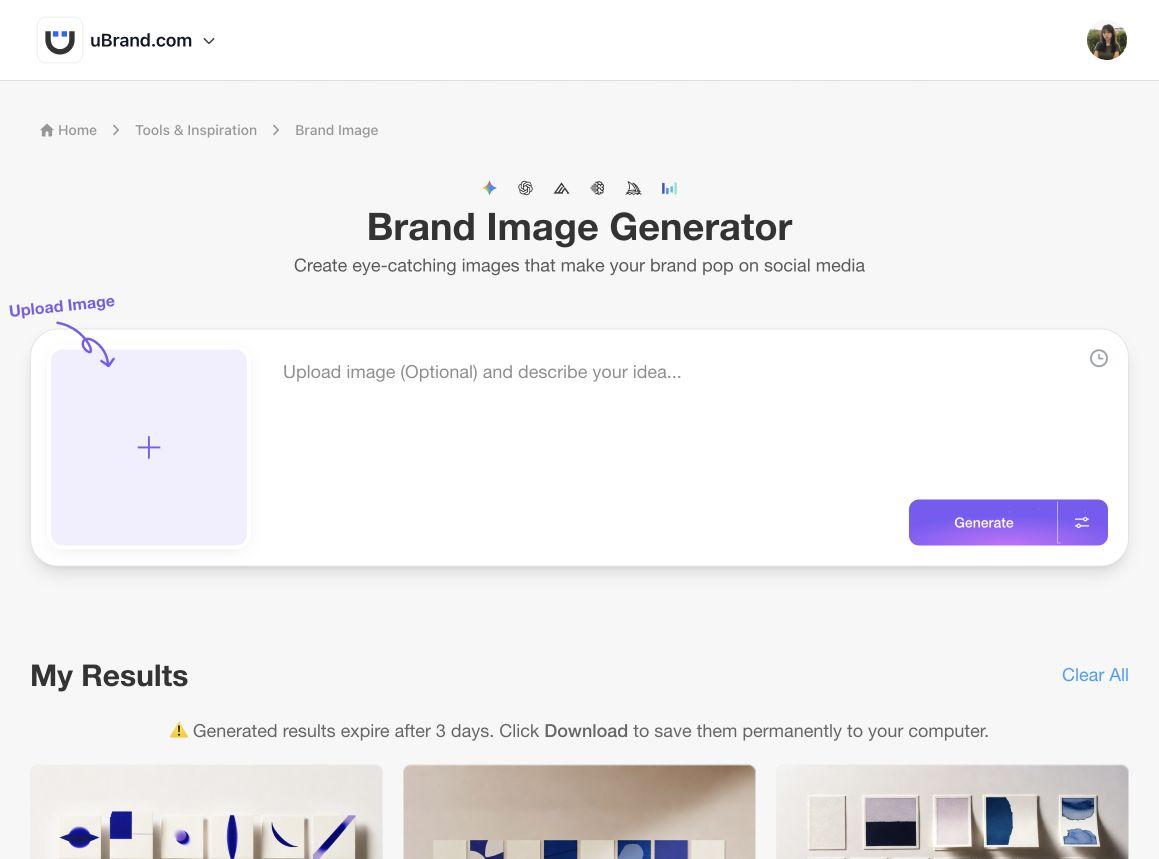
uBrand Brand Image Generator: turn a post concept into a visual direction, then customize it for your brand.
Turn One Idea Into Platform-Ready Posts
Do not copy and paste the same post everywhere. Keep the core idea, then adapt its format and tone for each channel.
- LinkedIn: lead with a point of view, lesson, or professional story.
- Instagram: prioritize a strong visual, short hook, and saveable takeaway.
- Facebook: use a conversational caption and invite comments.
- X: make one sharp observation, then expand it into a thread when useful.
For a practical walkthrough, see uBrand’s AI Brand Social Media Post Generator. It shows how Brand DNA can guide ideas, visuals, and captions across social platforms.
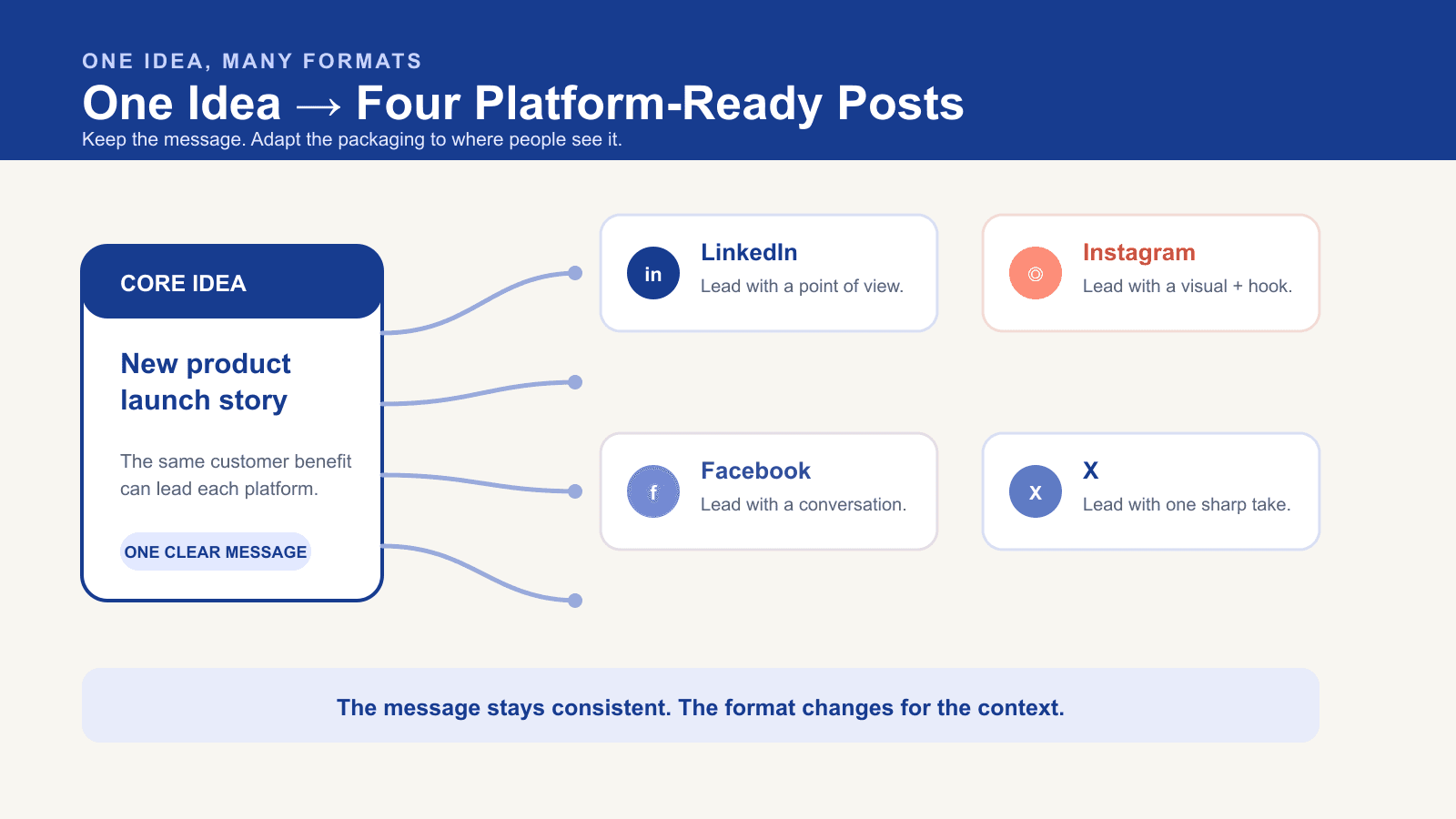 Keep the core message consistent, then adapt the hook and format for each platform.
A Simple Weekly Workflow
- Pick five ideas: choose from the calendar based on your current goal.
- Write one creative brief: include Brand DNA, audience, offer, platform, and desired action.
- Generate first drafts: create captions and visual directions, then choose the strongest version.
- Customize and schedule: add real details, proof, links, and the right format for each platform.
- Review what worked: track saves, replies, clicks, and conversations—not just likes.
Keep the winning colors, type, voice, and imagery in one place with a brand guideline. It makes every future post faster to produce and easier to recognize.
Build Consistency Without Making Content Your Full-Time Job
You do not need to post every day forever. The real goal is a sustainable rhythm that helps people recognize your brand over time.
Ready to plan your next month? Start with your Brand DNA, then let your brand—not a blank calendar—guide what you publish next.